In order to make sure your campaigns and emails are sent efficiently, verifying your client emails is an important step. By verifying your emails, it increases the chances of the email reaching every client. This reduces the possibility of possible issues such as bounce or being sent to the spam inbox. You can do this either individually for each client or by automatically verifying all emails in your customer database.
How do I know if my client’s email is verified or not?
On the customer’s profile or name in the customer menu, there will either be a grey shield or green shield next to their name.


Individually verifying emails
You can individually verify a client’s email address by going into their profile. Please follow the following steps:
-
Go to the client’s profile on erxes
-
Click on the edit button (found next to their name)
-
Find the verification status option
-
Change the status to ‘Valid'
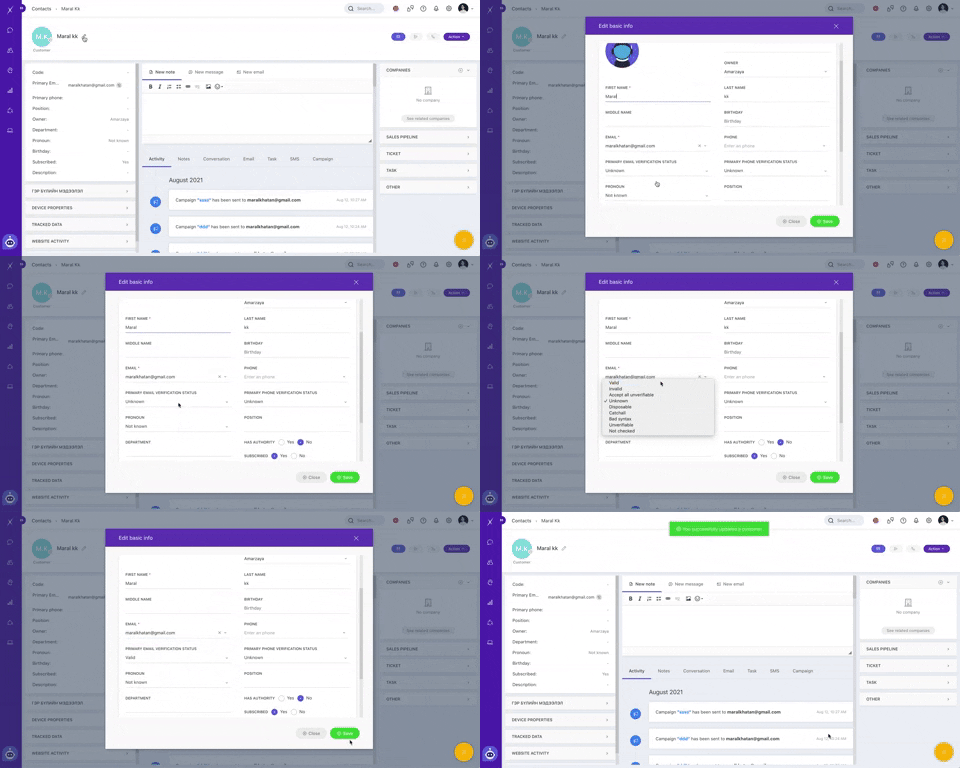
Subsequently, you will see a green check mark as shown above next to their name
Automatically verifying all emails
You can automatically verify all client emails by going into your customer database. Please follow the following steps:
-
Go to your contacts menu (found on the left side of the screen)
-
Click customize
-
Select the customers you would like to validate
-
Click ‘verify emails’
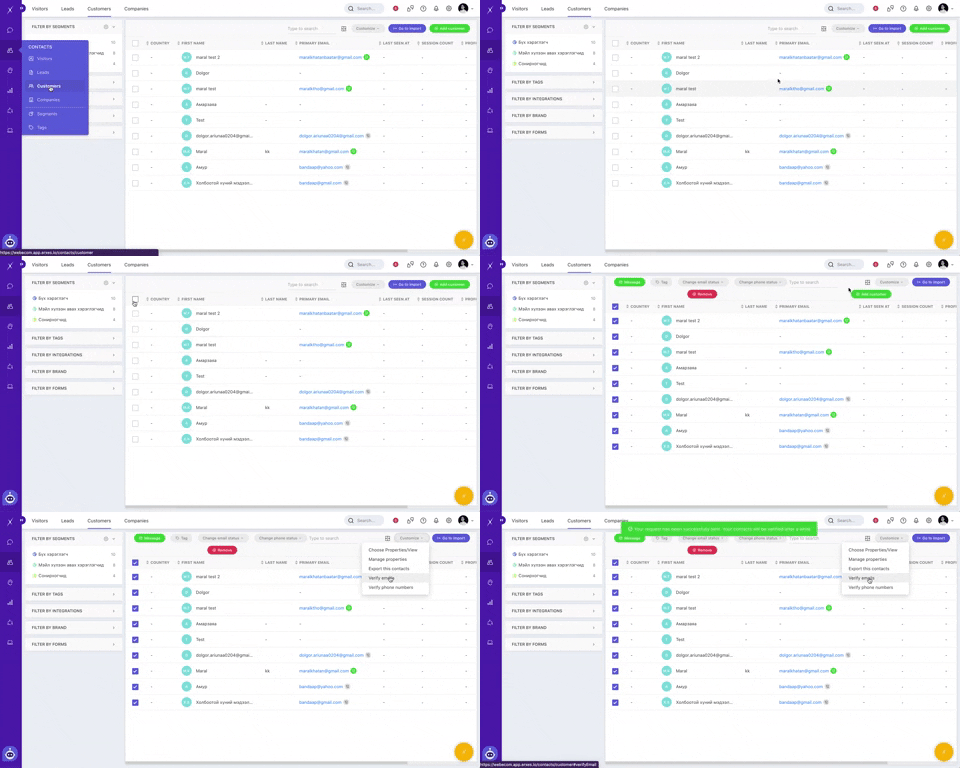
Depending on the number of emails chosen, the emails should be validated shortly after.