Danzanpuntsag Budbazar25 Jan 2022
How to purchase additional services on the self-hosted version?
In order to successfully purchase additional services, you must first sign up for erxes and create your self-hosted organization.
If you haven't already signed up, you can read the article on how to sign up for erxes before continuing.
- After you signed up, you have to log in to your Global Profile

- Follow and read the guide shown on the bottom left corner after signing in to your Global Profile

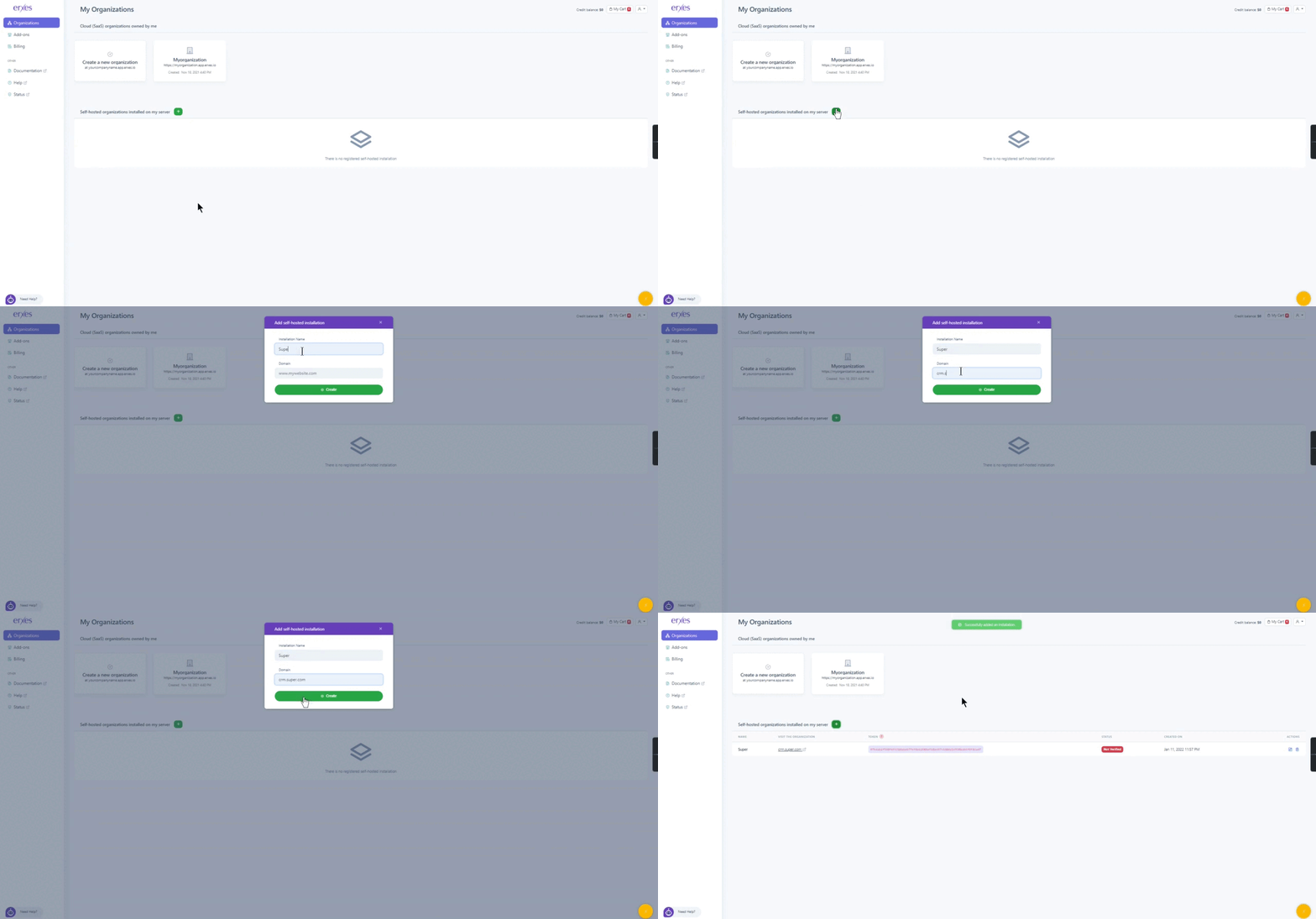
- Click on the “+” sign located right beside the “Self-hosted organizations located on my server”
- Give the organization its name
- Input your custom domain. If you haven’t already purchased your domain or if it is not active, you can still put your intended domain to access the Add-ons area. Please note that you have to verify your domain after erxes is installed.
- After you created your self-hosted organization, you can click on the “Add-ons” located on the left side of your screen
- You should see two categories to choose from: SaaS Organizations and Self-Hosted Installations.
- You should select your created self-hosted organization.
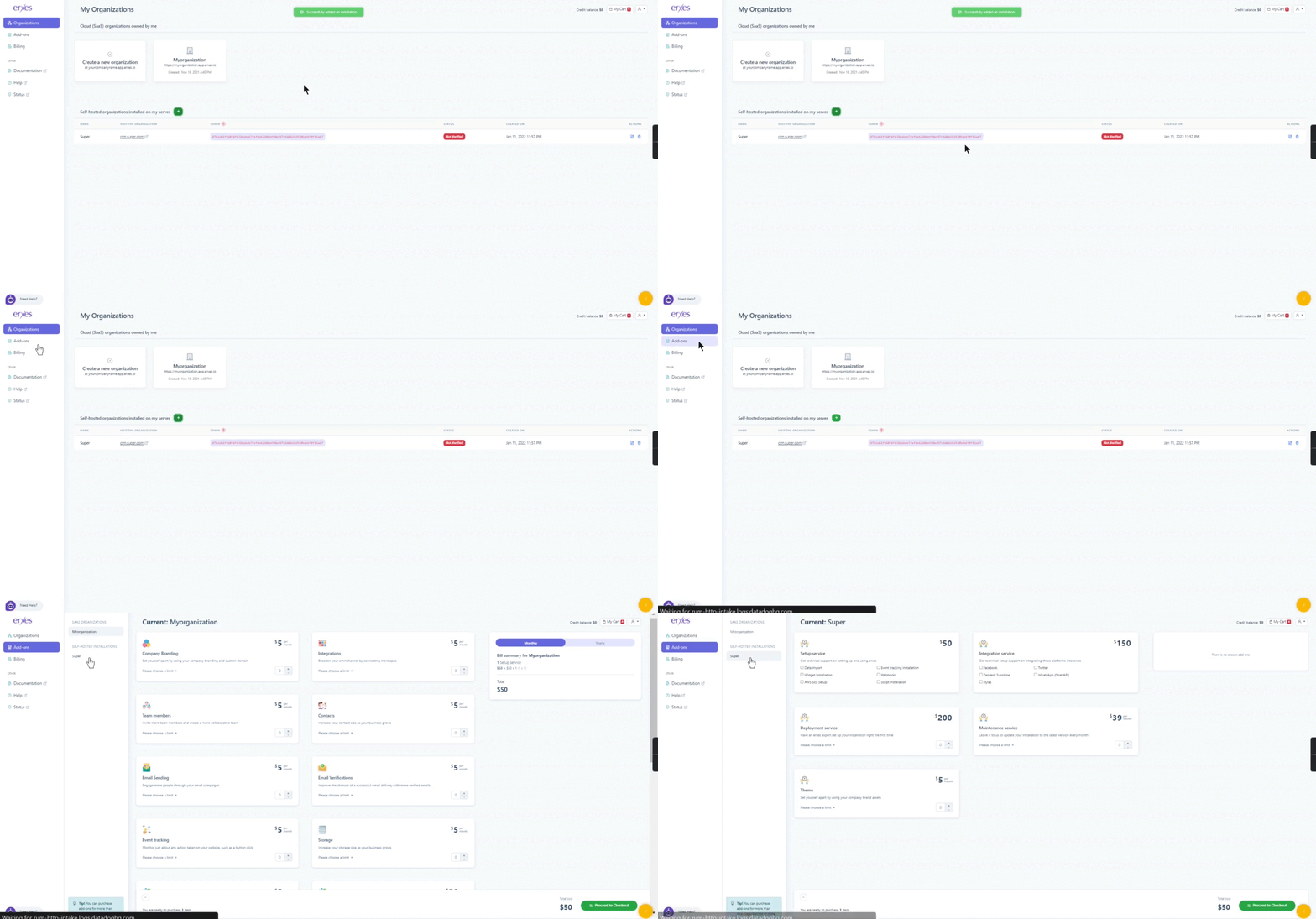
- Now you should see the additional services available for the self-hosted organizations.
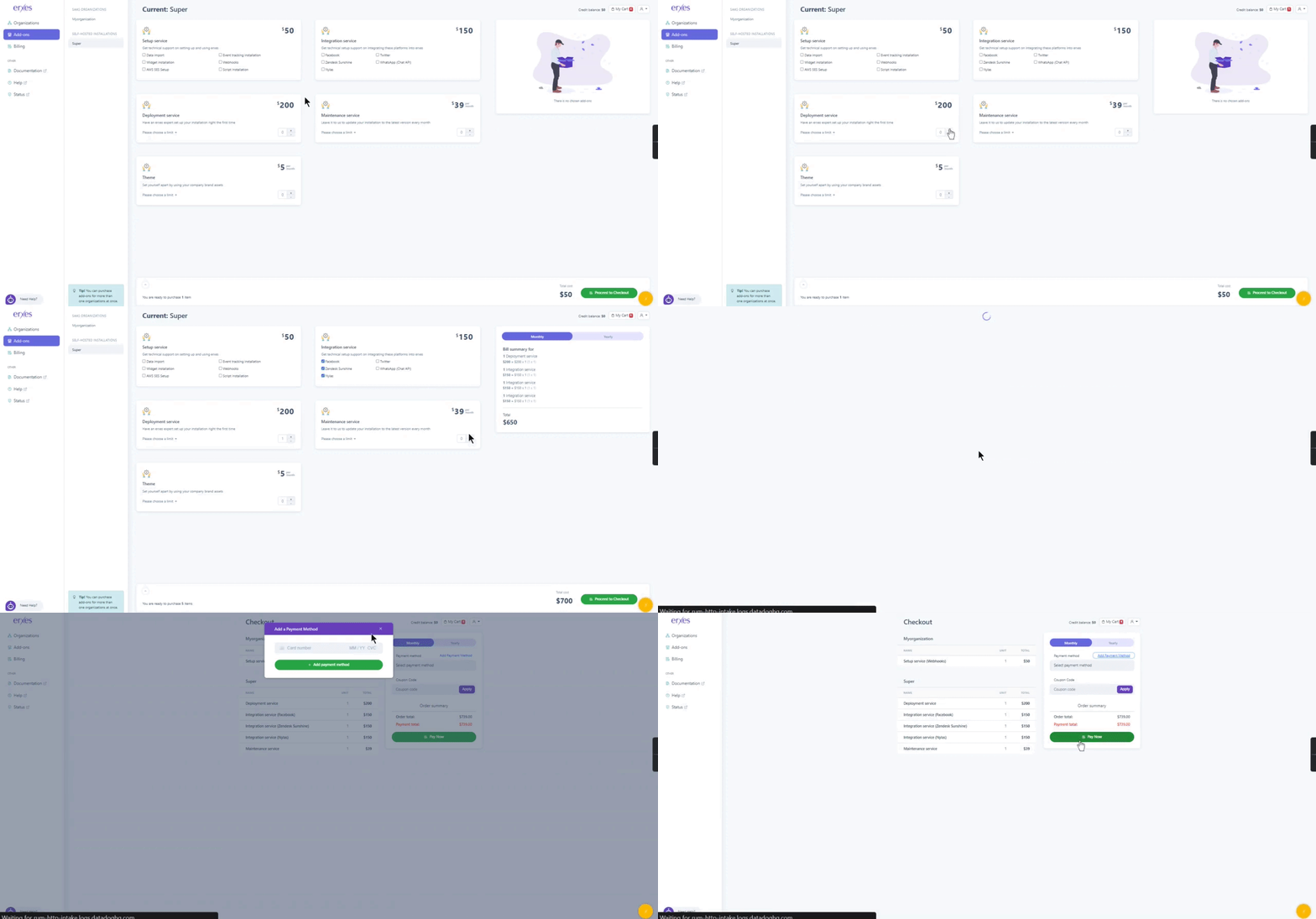
- Choose your desired services and click “Proceed to Checkout”
- Add your payment method if you haven’t done so already
- Enter your coupon code if you have any
- Click “Pay Now” to finalize your payment process.