One of the biggest challenges that a company can face is organizing the process of solving complaints and issues. Having to navigate between different websites while solving the enquiry can be difficult and runs the risk of miscommunication. We use the features on our system to make this process easier and simpler for both you and the customer. With automated campaigns connected with pipeline boards, you can send specific emails to specific clients at desired times.
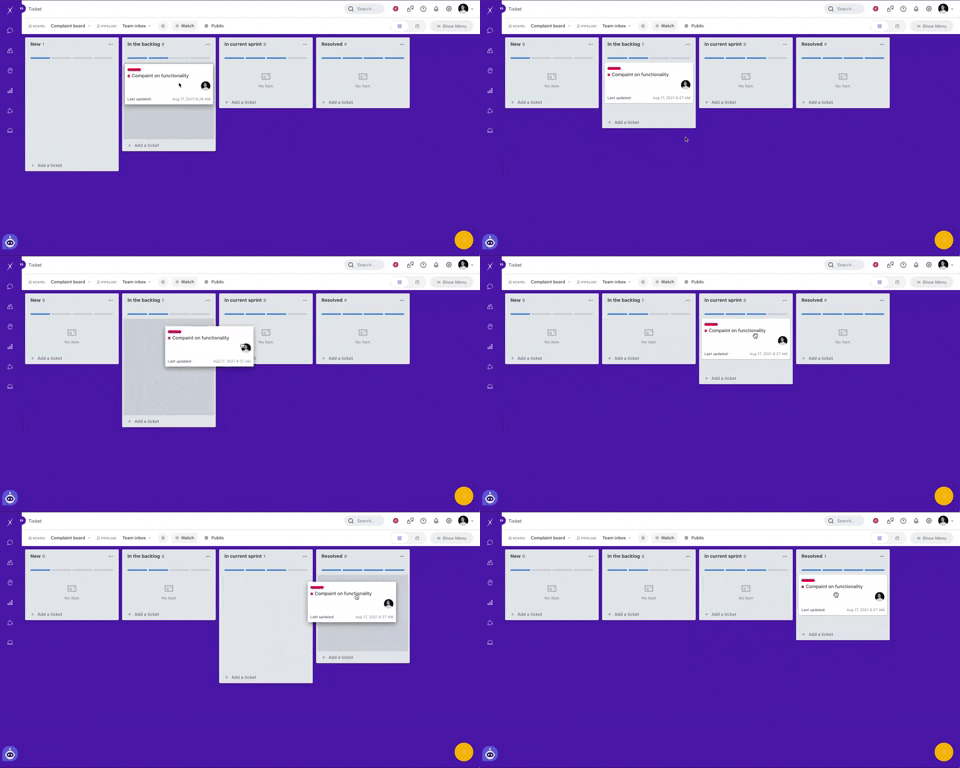
You can learn more about how to create automatic campaigns in your pipeline here.
Sending updates to clients on their enquiries is important to keeping clients satisfied. For each step of the enquiry solving process, we have configured automatic emails to send. From when the enquiry comes in to when the enquiry is being worked on to when the enquiry has been resolved.
Here is how we optimize the process:
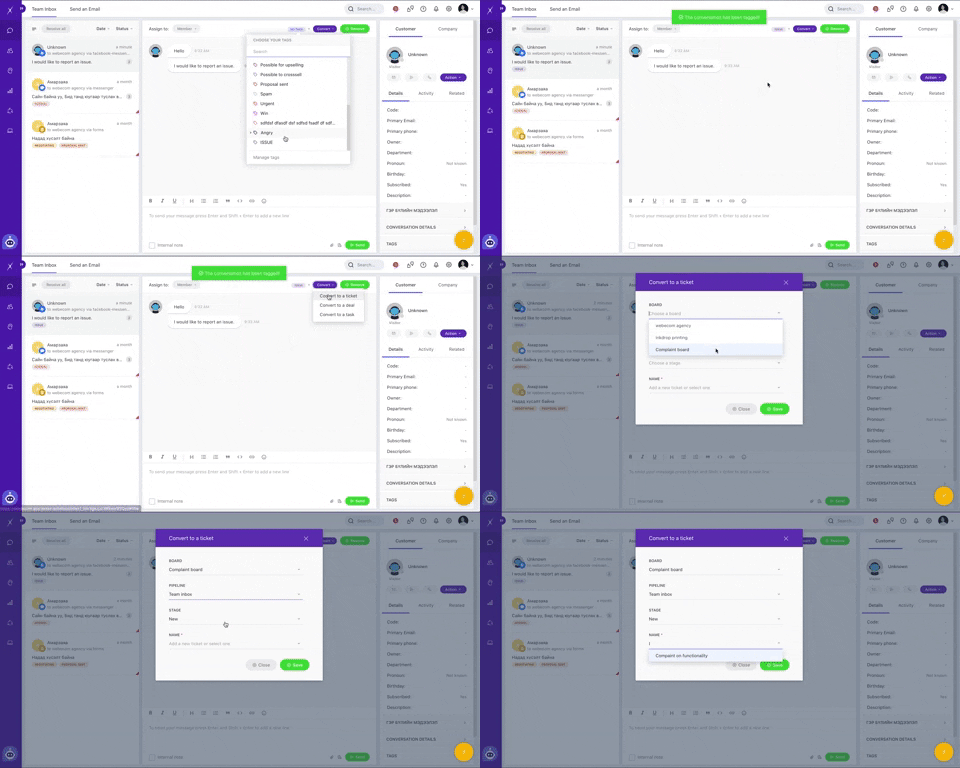
When a complaint comes through omnichannel and into our team inbox, we immediately convert them into tickets to be dealt with on our ticketboard. Converting complaints from the team inbox to tickets helps us keep the process of updating clients organized.
We have automatic emails configured to send when the card is dragged to different stages. In our pipeline, we created stages with the steps of solving the enquiry at hand. As stages are completely customizable, you can create and personalize these to your organization’s needs.
In our pipeline shown, we have stages for when a new enquiry comes in (New), is planned to be solved (In the backlog), is currently being solved (In current sprint), and is fully solved (Resolved).
Having all enquiries on one board as shown helps us keep organized and keep the team members updated on the company's activities. Those team members with access to the board will be able to see the progress of the tickets, who is currently solving the issue, and other important details in the card.

Within the ticket card, we keep important details about the issue at hand. As shown, information like the customer, type of enquiry, and important details are stored. Labels and tags help us sort through our cards without getting them mixed up.
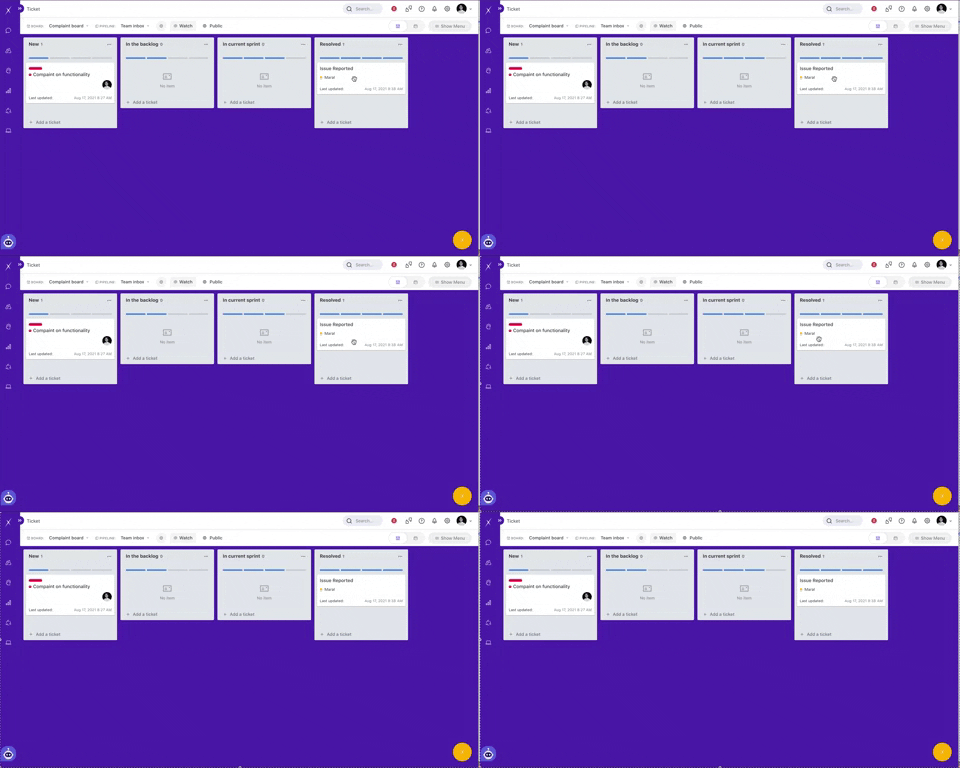
When a card is officially resolved and dragged to the resolved stage, a pre-made email is sent to the client. Pre-made email templates are used to make the process even easier.

In these templates, you can add personalizations to make the email unique to the client. In our email templates, we make sure the email includes a description of the enquiry, name of the organization, and type of enquiry. This information is added onto the ticket card with the use of attributes and properties. You can add attributes to make the email specific to the enquiry.